
USB-C Hubs for MacBook Air: A Specs-Based Shortlist
Three USB-C hub candidates organized by connection needs, with a MacBook Air chip check and clear limits on what specifications can tell you.
Research-based guide. Product claims are not PriceCoo measurements.
As an Amazon Associate I earn from qualifying purchases. Shopping links are paid links.
On this page
- Pass the MacBook Air check first
- Three candidates, three reasons to investigate
- Scenario 1: a straightforward portable connection kit
- Scenario 2: one laptop serving a fixed desk
- Scenario 3: USB-A accessories, Ethernet, and memory cards
- Questions that specifications do not settle
- How to make the final choice
- Check the exact model on Amazon
- Continue your research
- Sources and method
Disclosure: As an Amazon Associate I earn from qualifying purchases. Shopping links in this guide are paid links.
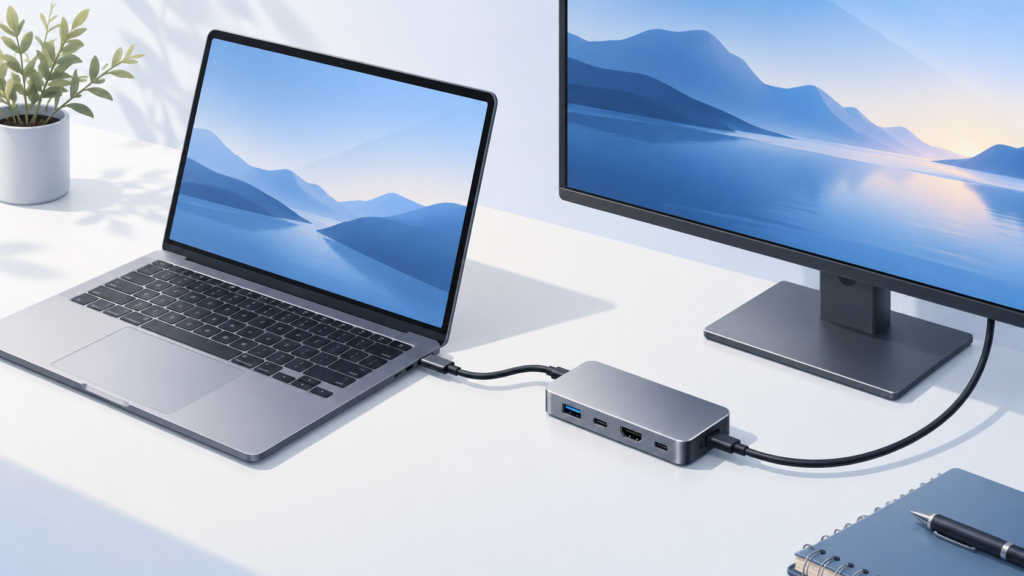
Research-based guide: No hands-on testing. Cover image is an AI-generated conceptual illustration, not a photograph of the named products or evidence of testing.
There is no single hub that is best for every MacBook Air. A useful shortlist starts with the Mac’s chip and the devices you need to connect. These three candidates cover different single-HDMI workflows. We selected them for identifiable model codes and published specifications, not because we have tested them or surveyed every hub on the market.
Pass the MacBook Air check first
Find your exact chip and model before shopping. Native external-screen support differs across Air generations; the M3 two-external-screen arrangement requires a closed lid and additional conditions. Follow Apple’s current display guidance and its M3 setup instructions. None of the single-HDMI hubs below should be treated as a ready-made dual-monitor solution.
Then separate needs into must-have and optional. Write the precise display mode instead of just “4K,” count USB-A and USB-C accessories separately, and decide whether Ethernet or camera cards are part of your actual routine. Check charging through the hub as a separate requirement.
Three candidates, three reasons to investigate
| Candidate | Why it is on this shortlist | Main reason to rule it out |
|---|---|---|
| Anker 332 / A8355 | A simple USB-and-HDMI connection list | You require its missing network/card connections or 4K60 |
| Anker 555 / A8383 | Ethernet and cards plus a USB-C data socket | Your needs exceed a single HDMI output or its documented capabilities |
| Plugable USBC-7IN1E | Ethernet and cards for a two-USB-A peripheral layout | You need a dedicated USB-C data socket or cannot confirm display compatibility |
Capability references: Anker 332, Anker 555, and Plugable USBC-7IN1E. These are candidate roles, not awards or lab rankings.
Scenario 1: a straightforward portable connection kit
If you usually connect a receiver, a storage accessory, and one screen, begin with the simplest model that meets all three. An unused card reader does not automatically make a more elaborate hub better. Conversely, one missing essential connection can outweigh every optional extra. Evaluate the Anker 332 only after confirming its particular display mode is sufficient.
Scenario 2: one laptop serving a fixed desk
For a desk with wired networking, camera cards, and a USB-C drive, the Anker 555 deserves a closer look because its connector mix addresses those needs. Draw the cable plan: which accessory uses each socket, where the hub sits, and how the laptop is charged. Check that a short attached hub cable will reach without putting strain on a raised laptop.
Scenario 3: USB-A accessories, Ethernet, and memory cards
The Plugable USBC-7IN1E is another candidate when that layout matches your equipment. Do not mistake its USB-C power input for a peripheral-data socket. Its specific 4K60 support article adds host and cable requirements, so verify those rather than treating all USB-C Macs and displays as one configuration.
Questions that specifications do not settle
- Does it reconnect consistently after sleep with your particular peripherals? We have not tested that.
- What transfer rate does your drive sustain while other devices are active? A port rating is not that measurement.
- How warm does the enclosure become during your workload? We have no thermal measurements.
- Will a particular protective case or desk layout interfere with the connector? Check physical clearance.
- Is the current seller’s offer the right model and condition? Recheck the selected listing before checkout.
How to make the final choice
Eliminate incompatible candidates first. Among those remaining, compare the total cost including any charger, cable, or adapter still needed. If an unanswered question is essential to your work, ask the maker before buying. A lower price does not compensate for an uncertain display mode, and an impressive port count does not create a useful connection you cannot identify.
Check the exact model on Amazon
Affiliate disclosure: We may earn a commission if you buy through the product-name links or Amazon buttons below. Confirm the selected model, seller, condition, price, and return terms on Amazon before ordering.
Anker 332 USB-C Hub (A8355): investigate for the simpler USB-and-HDMI role.
Anker 555 USB-C Hub (A8383): investigate for Ethernet, cards, and USB-C data.
Plugable USB-C 7-in-1 Hub with Ethernet (USBC-7IN1E): investigate for the USB-A, network, and card workflow.
Continue your research
Sources and method
Prepared from the manufacturer and standards documentation linked below, checked September 16, 2026. Advertised capabilities are not our own measured results. We have not handled or bench-tested these products. The recommendations are conditional buying judgments, not performance rankings.
About this guide
Read our editorial policy and corrections policy. Sources and limitations are retained above.